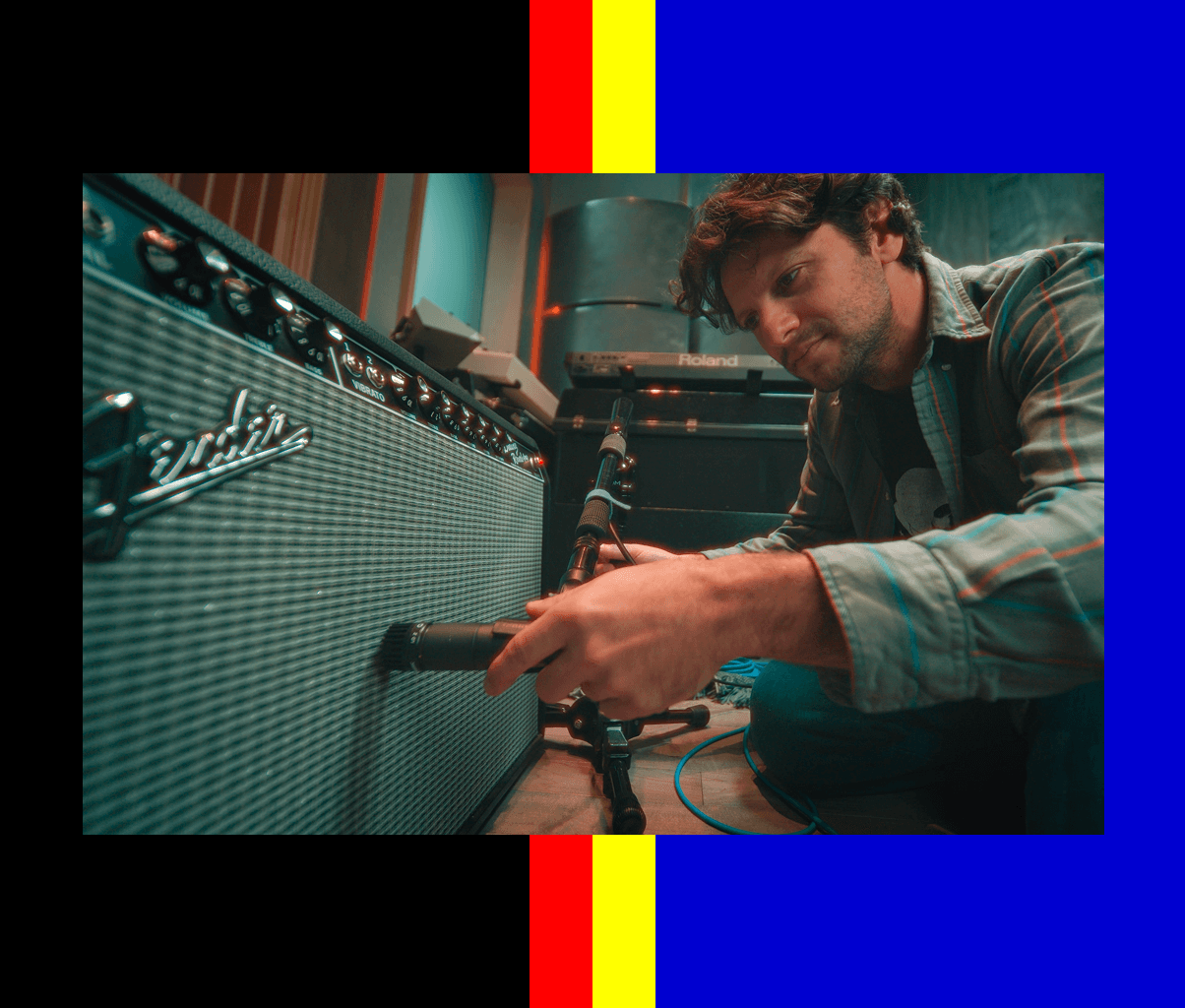
How to Capture Your Gear with NAM – Sweep Signal Method
Create professional-quality digital models of real analog gear with Neural Amp Modeler (NAM). This beginner-friendly guide will walk you through capturing your guitar/bass amps, pedals, outboard gear and signal chains using the sweep signal method. It's easy and free.
In this guide
Overview
Capturing your gear creates a digital model (called a NAM capture) that replicates the exact sound and feel of your analog equipment. This guide shows you how to use the sweep signal method to capture any amplifier, pedal, or signal chain.
Before you begin, make sure you have:
- The gear you want to capture (amp, pedals, outboard gear etc.)
- An audio interface with both input and output
- A reamp box (to convert line-level signals to instrument-level)
- If you don't have a reamp box use the Dry/Wet Method
- A DAW (Digital Audio Workstation) like Reaper, Logic, or GarageBand
- Cables to connect everything
Let's go!
Step 1: Prepare Your Gear
Before you start recording, dial in your sound:
- Set up your rig exactly as you want it captured
- Adjust all knobs and settings to your desired tone
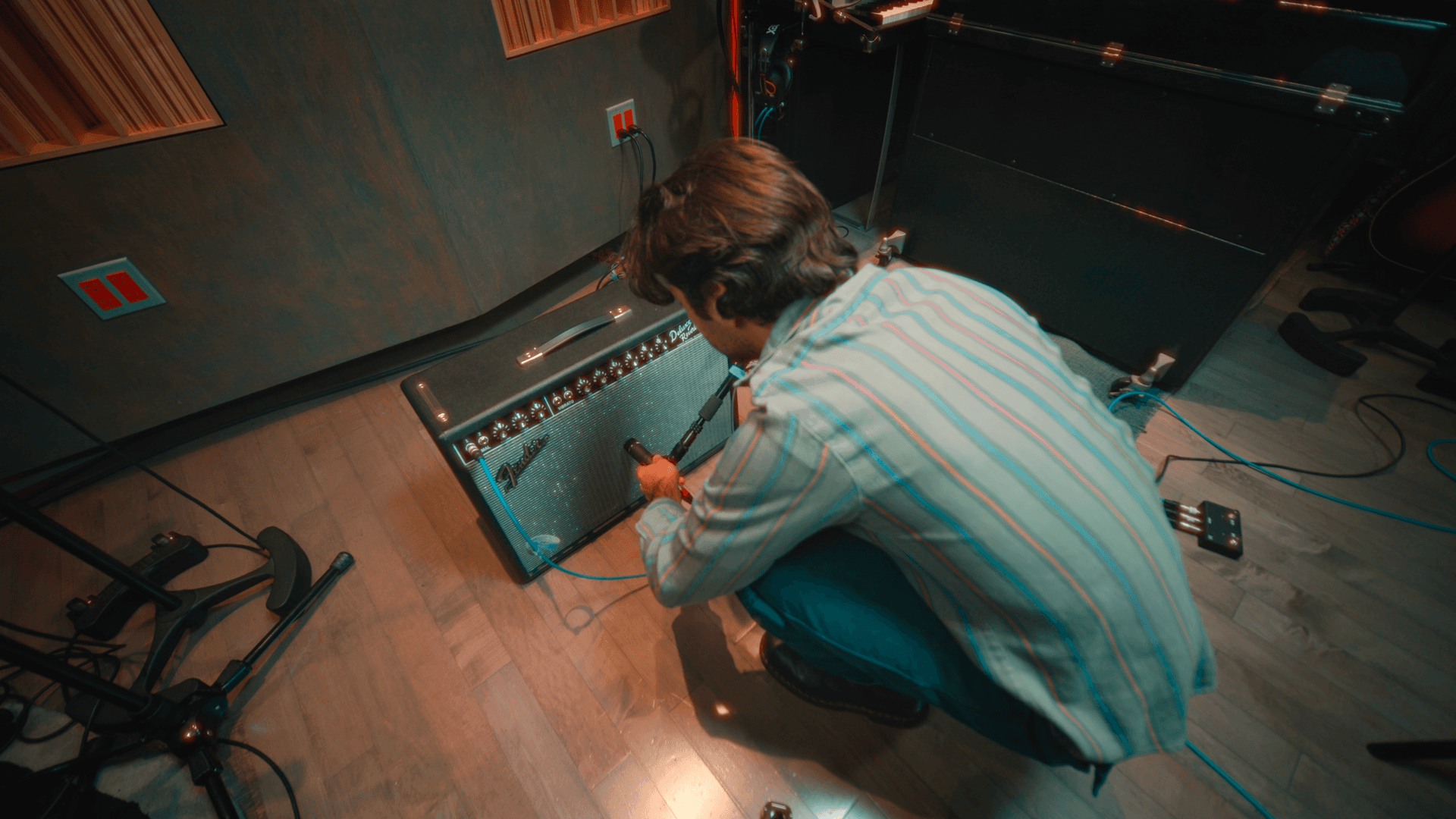
- Position your microphone
- Make sure everything is powered on and ready
Important: Neural Amp Modeler captures a "snapshot" of your gear at specific settings. Whatever knob positions you choose will be captured.
Step 2: Download the Sweep Signal
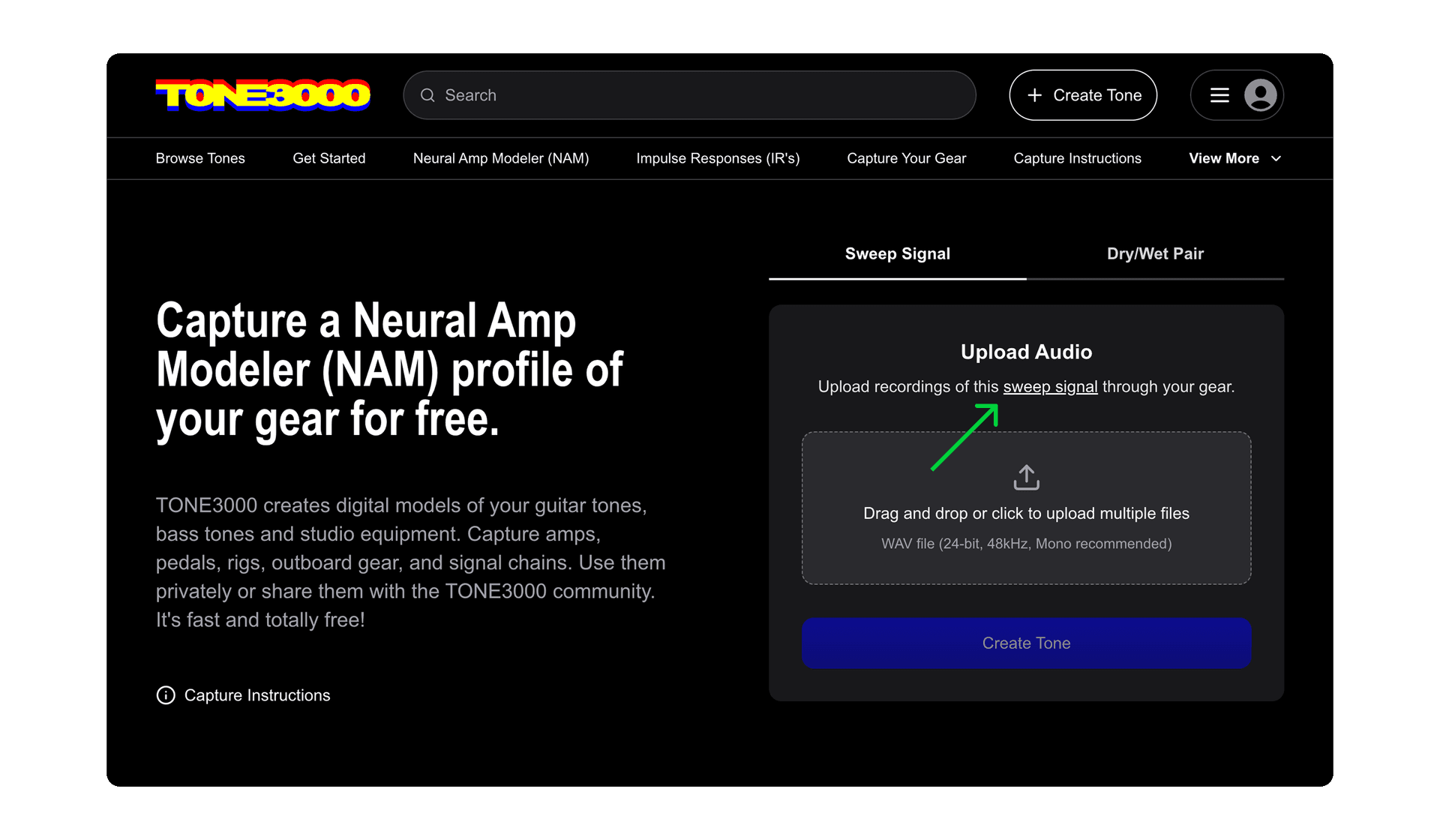
Head over to tone3000.com, click Create Tone, select Capture, and download the sweep signal file.
This audio file contains a special signal that Neural Amp Modeler uses to "learn" how your gear responds across the entire frequency spectrum.
Step 3: Set Up Your Signal Chain
Now it's time to connect everything:
- Load the sweep signal file onto an audio track in your DAW
- Route the sweep signal track to an output on your audio interface
- Connect that output to your reamp box
- Connect the reamp box to the input of the gear you're capturing
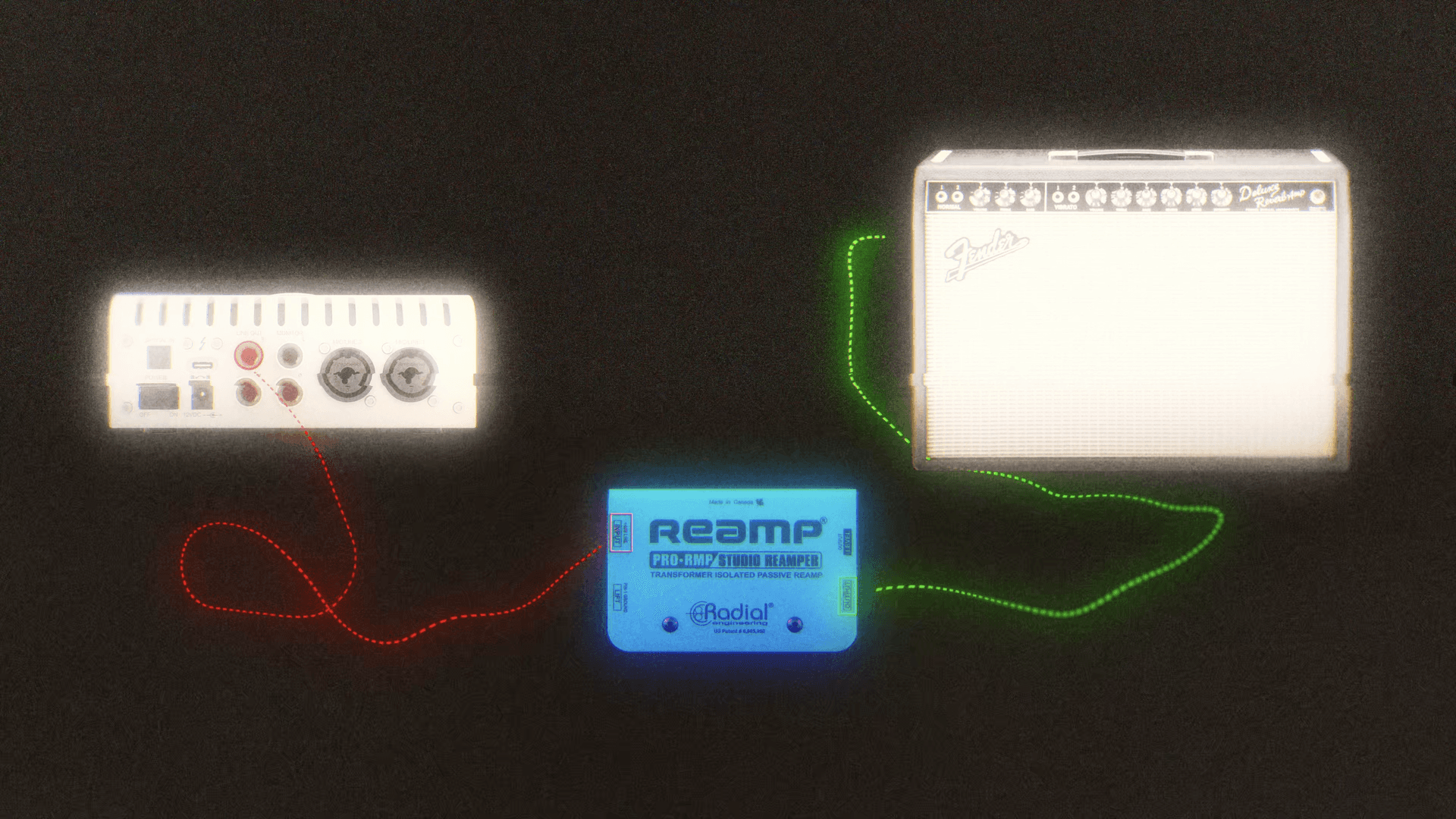
What's a reamp box?
A reamp box converts the line-level, low-impedance signal from your audio interface into an instrument-level, high-impedance signal that guitar amplifiers and pedals expect.
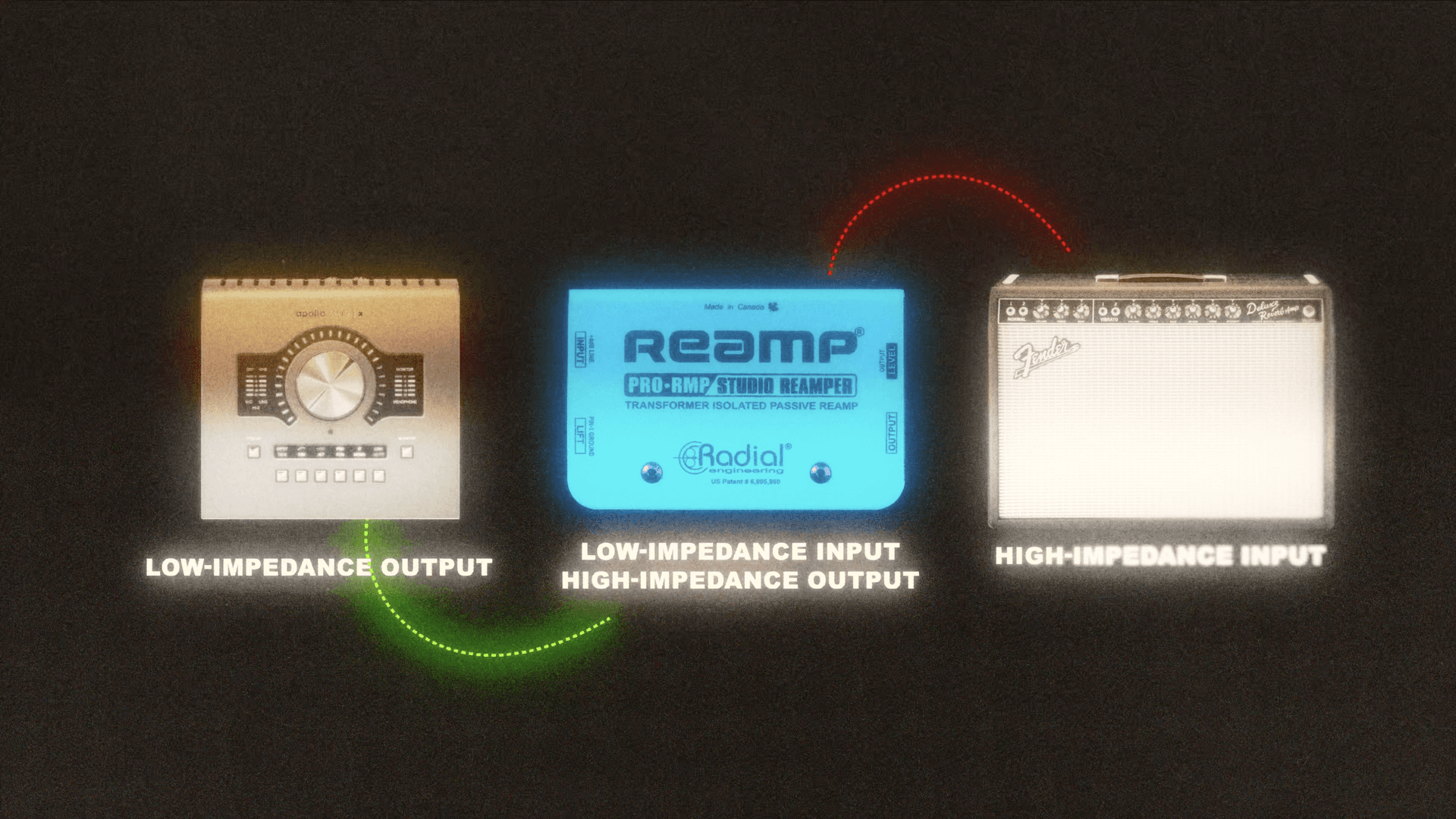
Ground Loop Hum? Use a Ground Lift
If your interface and gear are connected to different power sources, you might get ground loop hum. Remove this hum using a ground lift. Too much noise will cause an error or your NAM capture won't sound great.
Recording Your Output
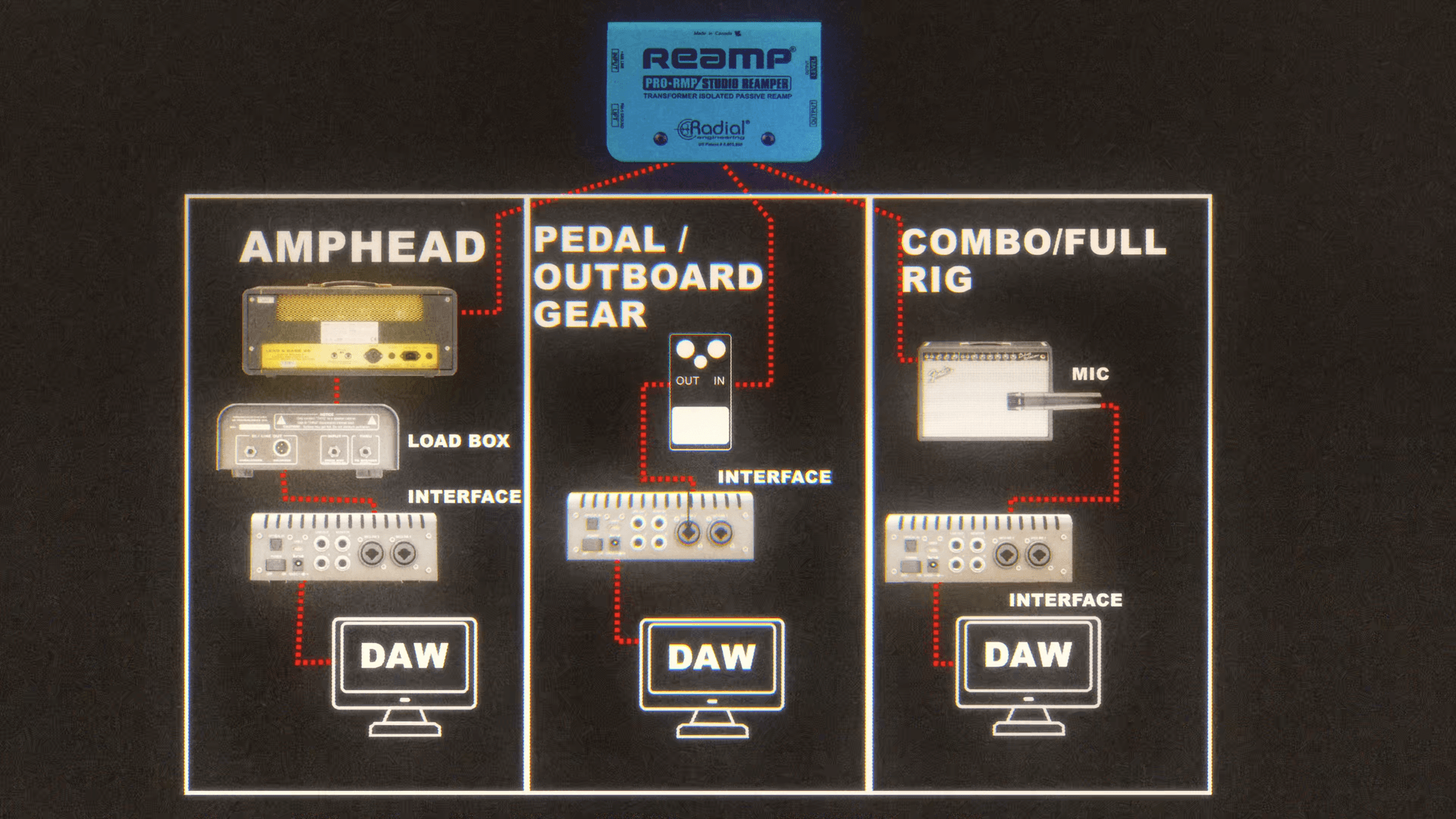
Set up a second track in your DAW to record:
- For amp heads: Use a load box or DI tap to record the direct output from your head
- For pedals: Record the direct output from the pedal
- For Amp + Cab captures (mic'd combo amp or amp head with cabinet): Record the final output of your complete signal chain usually with a microphone
Adjust your input gain so the signal peaks around -8 dB. This prevents clipping.
Step 4: Record the Sweep
You're ready to capture!
- Arm your recording track
- Hit record in your DAW
- Play the sweep signal through your gear
- Let the entire sweep play through (don't stop it!)
The sweep signal will sound like an alien signal – that's normal!
Step 5: Export and Upload
After recording, export your track with these exact settings:
- Format: WAV file
- Bit depth: 24-bit
- Sample rate: 48 kHz
- Channels: Mono
Critical: The length of your exported file must match the sweep signal file exactly. If the lengths don't match, you'll get an error when uploading.
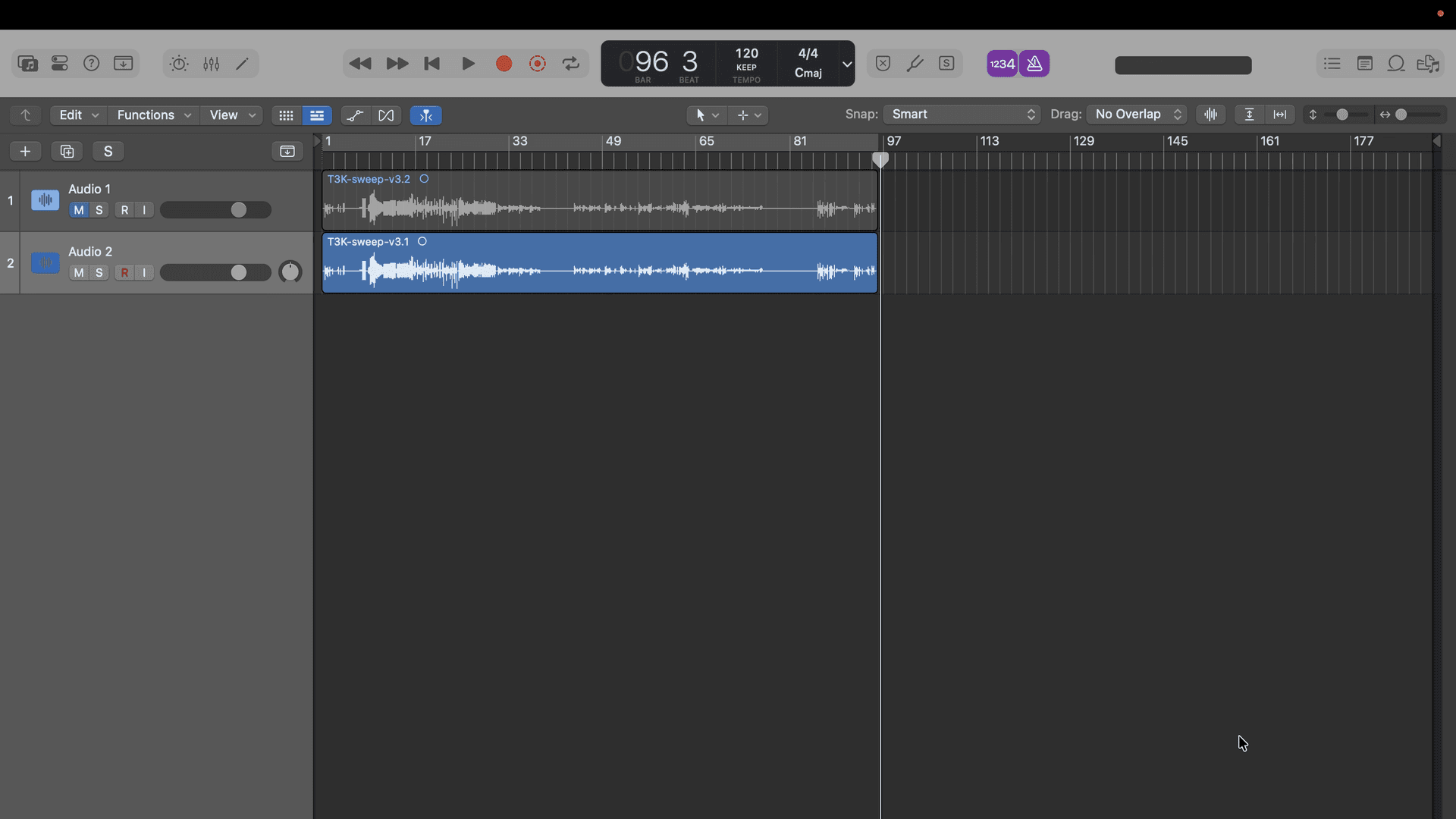
Now, head back to tone3000.com/capture and upload your recording.
Step 6: Train Your Model
Name Your Model
Give your model a descriptive name that tells users exactly what it is. Include:
- Make and model of your gear
- Knob settings
- Mic type and placement (for amps)
Example: "Fender Deluxe Reverb - Volume 5, Treble 6, Bass 4, Klon Gain 10, SM57"
This helps users understand what they're downloading and makes your captures easier to find.
Training Settings
For your first capture, the default settings work great. But here are some tips for even better results:
- Model: Standard
- Best Fit: Enabled
- Max Epochs: 400 (feel free to experiment with higher numbers)
The epoch count is how many times the neural network trains on your audio data. Higher epochs can improve accuracy but take longer to process.
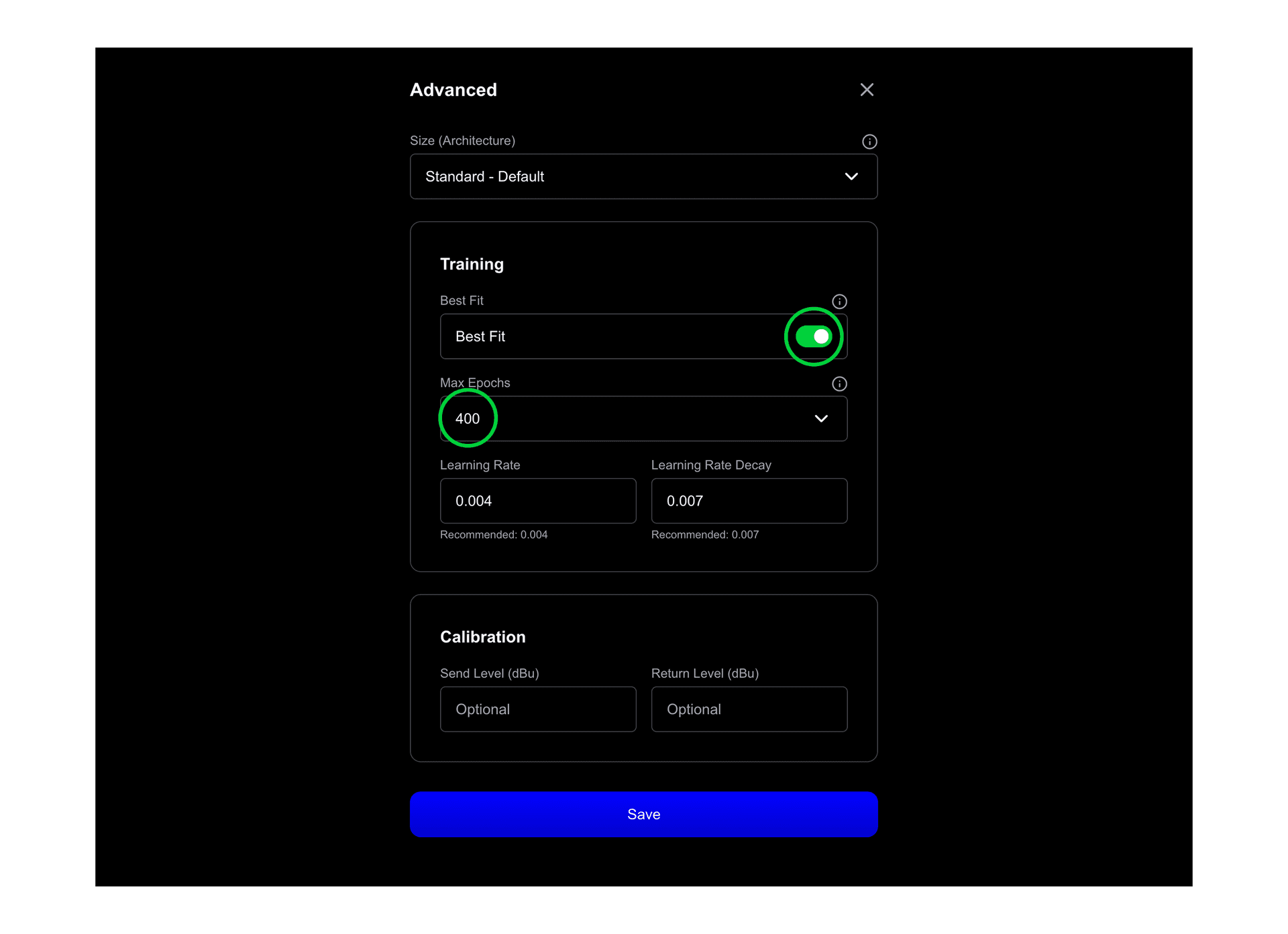
Batch Training Tip: You can train multiple models simultaneously – no need to wait for one to finish before starting the next. You can even batch upload dozens of recordings at once!
Step 7: Fill in Tone Pack Details
We created an entire guide to help you name, photograph, and describe tone packs that you share publicly. Read the Tone Sharing Guidelines before you publish.
Public vs. Private
If you're keeping your tone private, fill this out however you like. But if you're sharing publicly, follow these guidelines carefully – they build trust with the community.
How to name your NAM capture
Accurately naming your NAM capture with the make, model, and year helps users understand how it sounds and improves discoverability of your tone.
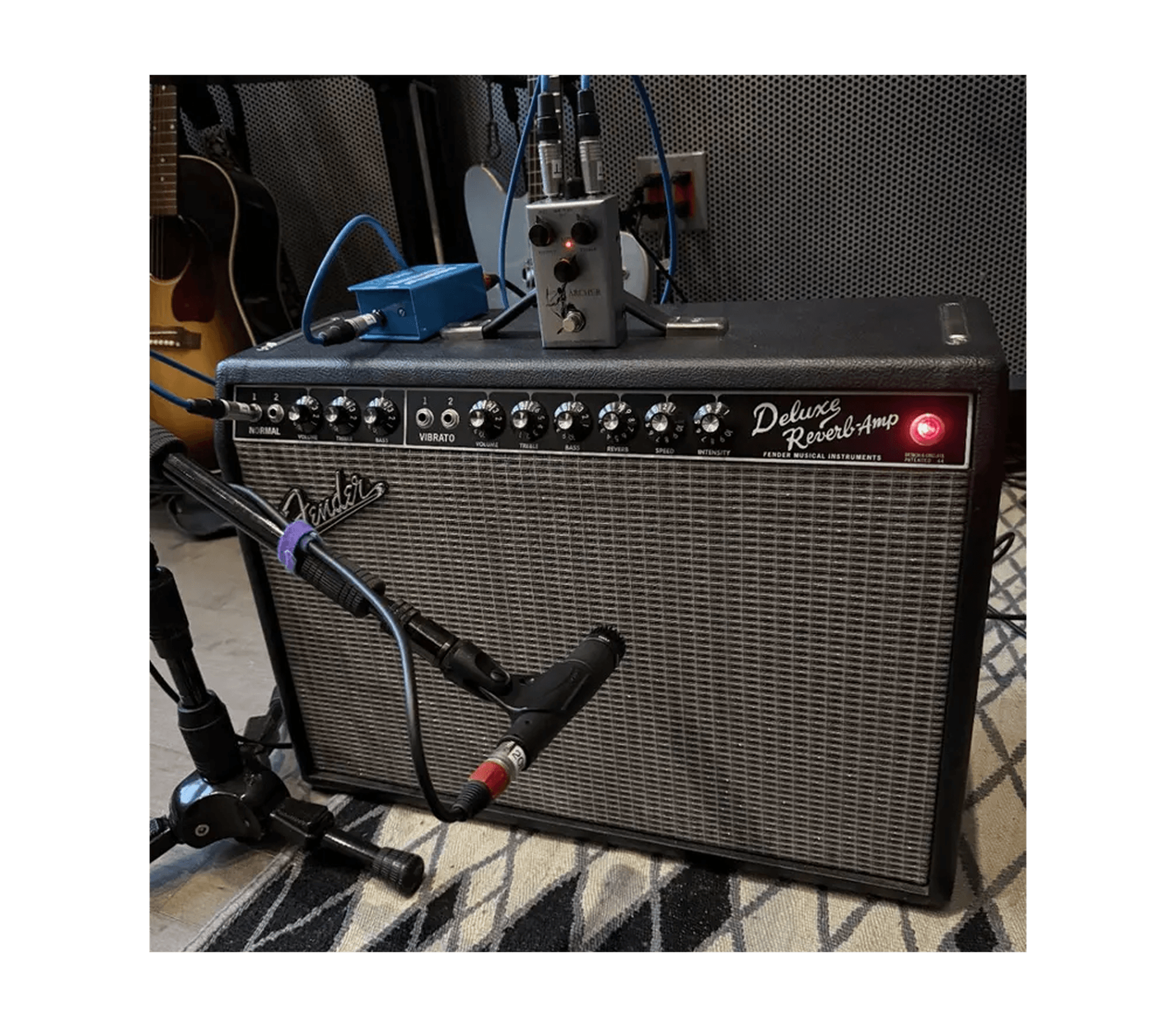
Add a Real Photo
Upload a photo of the actual gear you captured. Ideally, take photos during the capture process.
- ✅ Real photos of your actual gear
- ✅ Cropped square
- ❌ Stock photos
- ❌ Web photos photos
- ❌ AI-generated images
- ❌ Graphics or logos
- ❌ Edited photos
Real photos prove to users that you captured authentic analog gear. Our moderation team will remove captures that do not follow our guidelines.
Write a Detailed Description
Help users understand your capture:
- Describe the sound and character
- Share any history or fun facts about the gear
- Mention famous artists who used it
- Detail your complete signal chain
- Include recording techniques or mic placement notes
The more detail, the better. Rich descriptions help users trust your captures are legit.
Select Gear Type
Choose the type of gear you captured:
- Amp Head: Amplifier only (users will pair it with a Speaker Cabinet IR)
- Amp + Cab: Mic'd combo amp or amp head with cabinet
- Cabinet: Speaker cabinet + mic. Cabinets are typically captured with IRs, but a NAM capture works too
- Pedal: Overdrive, distortion, fuzz, etc.
- Outboard: Studio gear like compressors or EQs
- Experimental: Creative captures that don't fit other categories
Add Tags and Links
- Tag genres, artists, decades, and tone characteristics
- Add links to demos, your website, or social media
- Enable or disable public visibility
Recommendation: If you're sharing publicly, capture at least 5 models of each piece of gear with different knob settings. This gives users variety and more tonal options. Top creators often capture way more!
Review the Tone Sharing Policy
TONE3000 is designed for sharing authentic analog gear. Please review the Tone Sharing Guidelines before submitting.
Understanding Your Results
Once training is complete, you've created a Neural Amp Modeler file of your tone!
ESR (Error to Signal Ratio)
The ESR measures how closely your model matches the real gear:
- Lower is better – the closer to zero, the more accurate
- High ESR means something went wrong:
- Clipping in your recording
- Excessive noise or hum
- Misalignment between input and output files
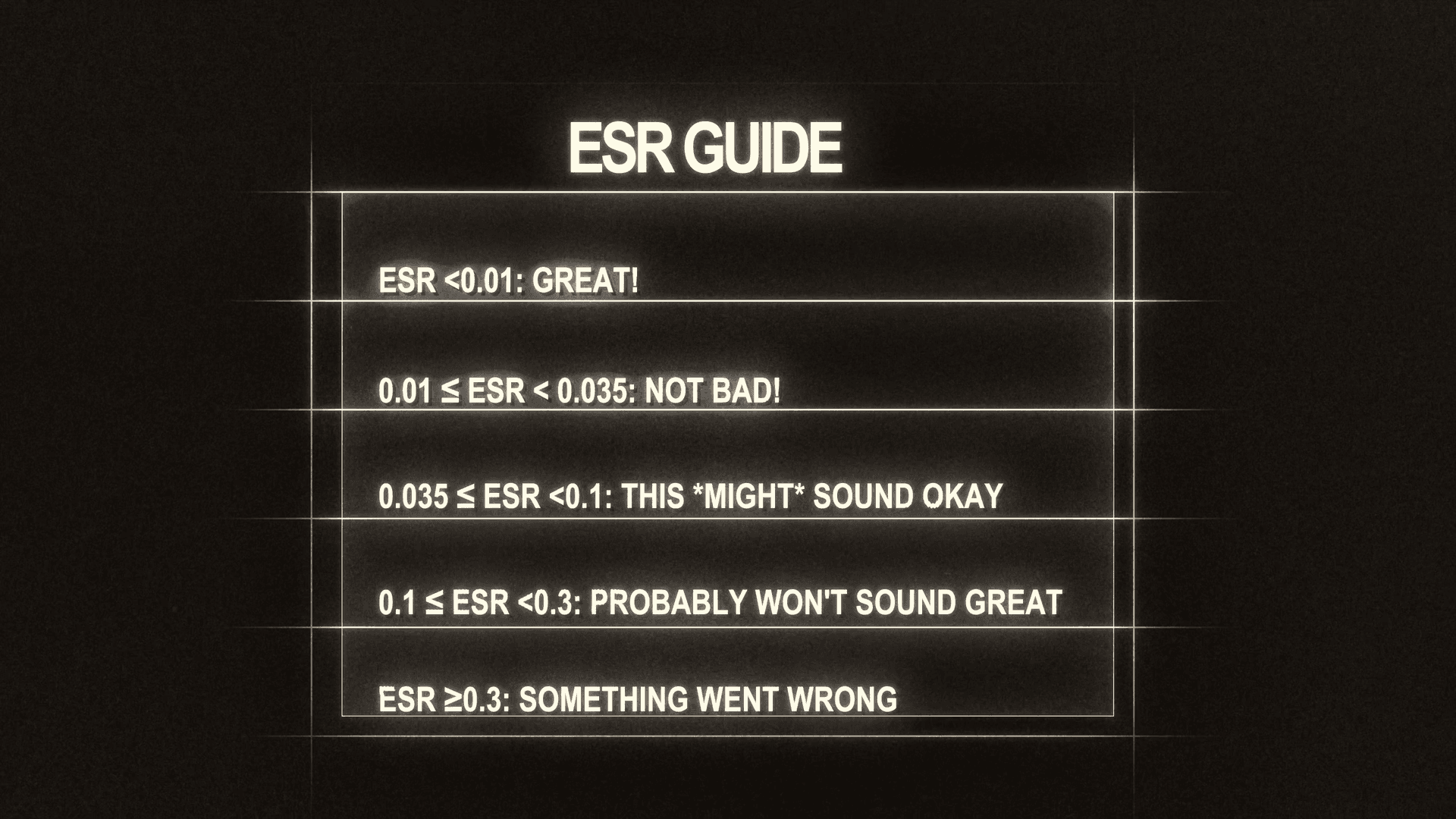
ESR Guide:
- ESR < 0.01: Great!
- 0.01 ≤ ESR < 0.035: Not bad!
- 0.035 ≤ ESR < 0.1: This might sound okay
- 0.1 ≤ ESR < 0.3: Probably won't sound great
- ESR ≥ 0.3: Something went wrong
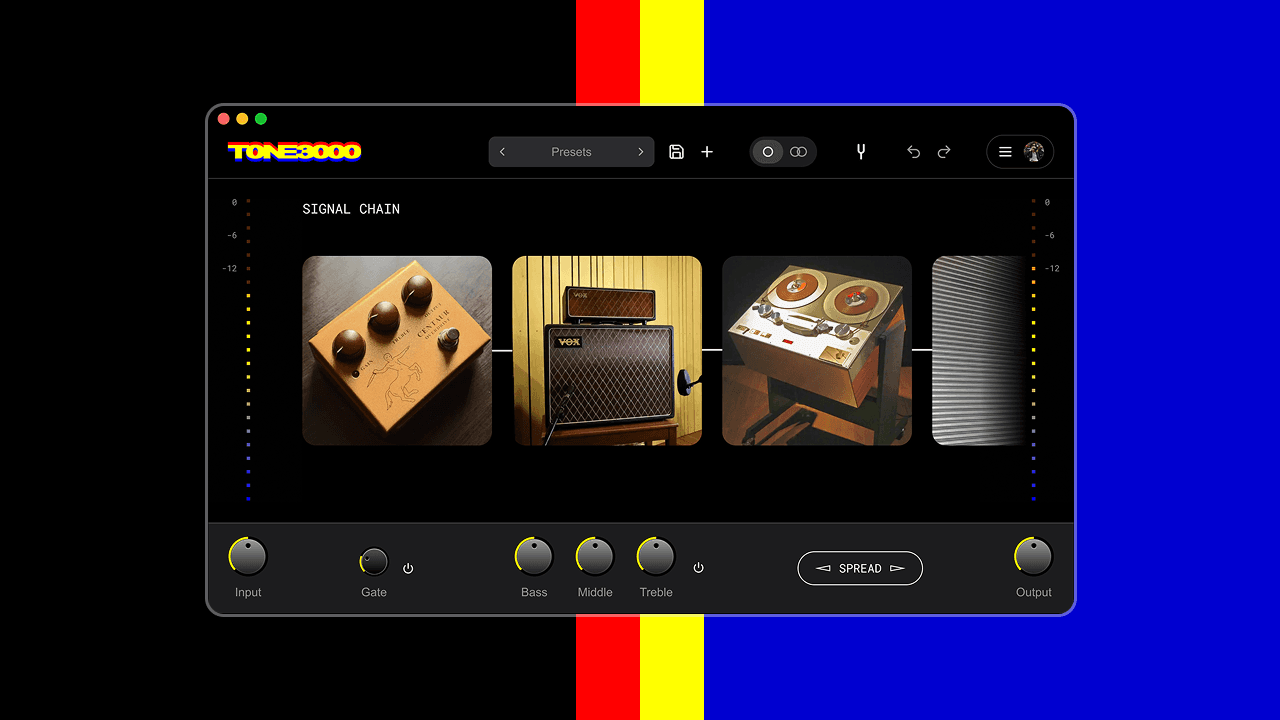
If your ESR looks great, congratulations! You can preview your tone in the preview section, then log into your TONE3000 account in the free TONE3000 Plugin and select your created tone to play it.
What to Capture Next
Now that you know how to capture, consider creating models of:
- Different settings on your amps
- Your favorite pedal stacks
- Different microphone positions
- Studio outboard gear
Every unique setting or configuration deserves its own capture!
Need help? Email support@tone3000.com or join our Discord community where thousands of creators share tips and techniques. Start your capture now.
FAQ
Related Guides
Trending Tones






NEW TO TONE3000?
Discover hyper-realistic digital models of iconic gear, including the Fender Twin Reverb, Vox AC30, Marshall JCM 800, and thousands more. Getting started is easy—and free!