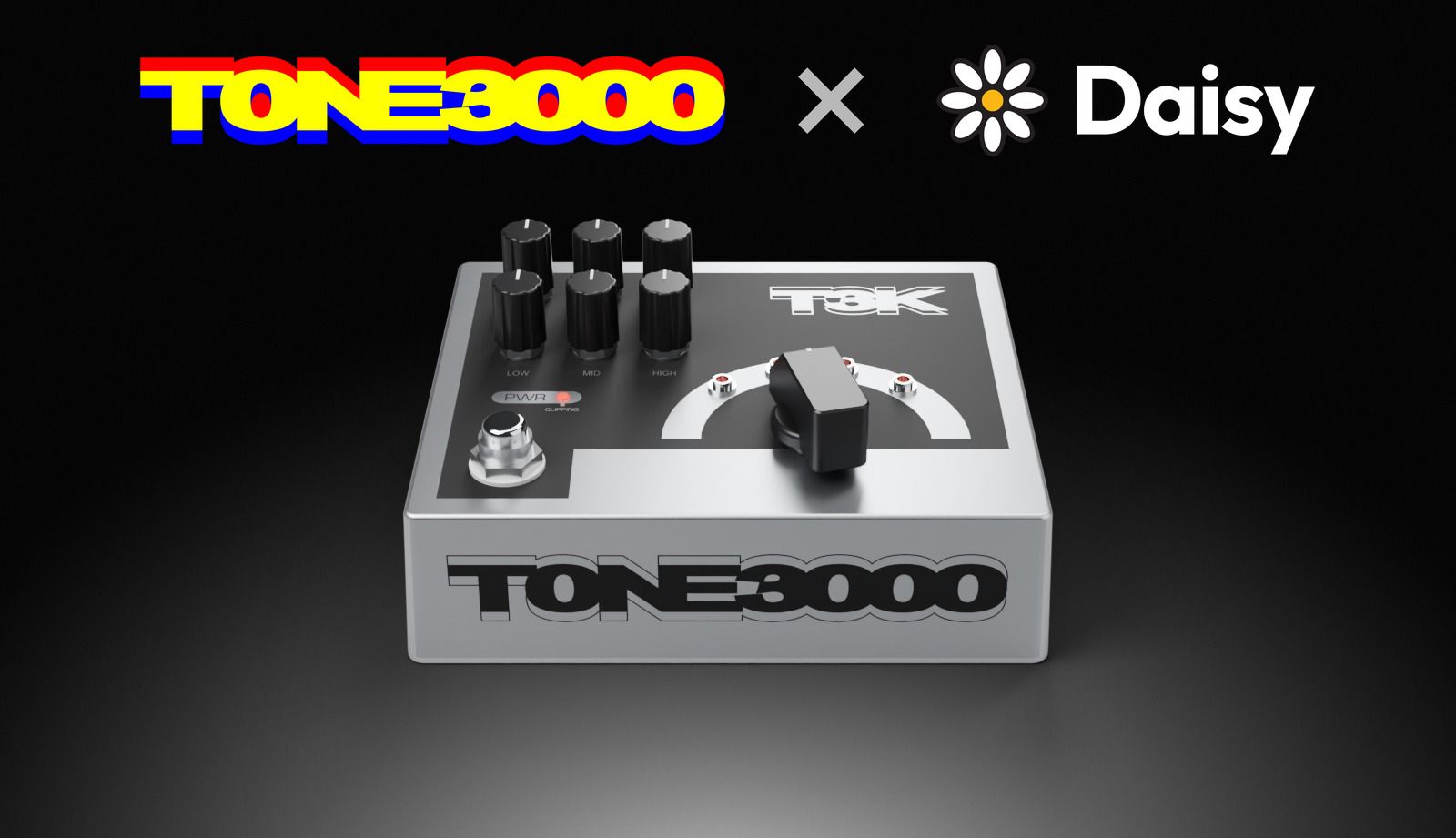
Introducing the TONE3000 × Daisy DIY Pedal Kit
TONE3000 has partnered with Daisy Audio to bring you a do-it-yourself pedal kit that plays NAM A2 captures and impulse responses straight from TONE3000.
Today we're excited to introduce the TONE3000 × Daisy DIY Pedal, a guitar and bass pedal kit that you build yourself.
We partnered with Daisy Audio, makers of the Daisy Seed3, to create a pedal that plays Neural Amp Modeler (NAM) A2 captures from TONE3000. Tayda Electronics bundles the circuit board, the pre-drilled and printed enclosure, and every component into a single kit. Add a Daisy Seed3, heat up your soldering iron, and you're ready to build.
The pedal started as a test. While we were developing NAM A2, we needed to prove it could run on small, affordable hardware, so our research scientist João Santos built a prototype around a Daisy Seed. If A2 ran there, it would run on the pedals and amps our partners were building.
It did. And when we compared the prototype to the TONE3000 Plugin, they sounded the same.
So we turned it into a kit. Once it's built, you can load any of the hundreds of thousands of NAM A2 captures on TONE3000, from Fender cleans to a 5150 to bass preamps and fuzz pedals, and play them through a pedal you made with your own hands.
"I grew up building pedals and tube amps, so this one is personal. Tone shouldn't be locked in a walled garden, and neither should the hardware that plays it. Every file is open, so a hobbyist can mod it and a company can use it as the blueprint for a product. I can't wait to see what people build."
– Woodbury Shortridge, Co-Founder and CTO of TONE3000
Get the Daisy Seed3 at daisy.audio →
Six Knobs, Four Presets, No Menus
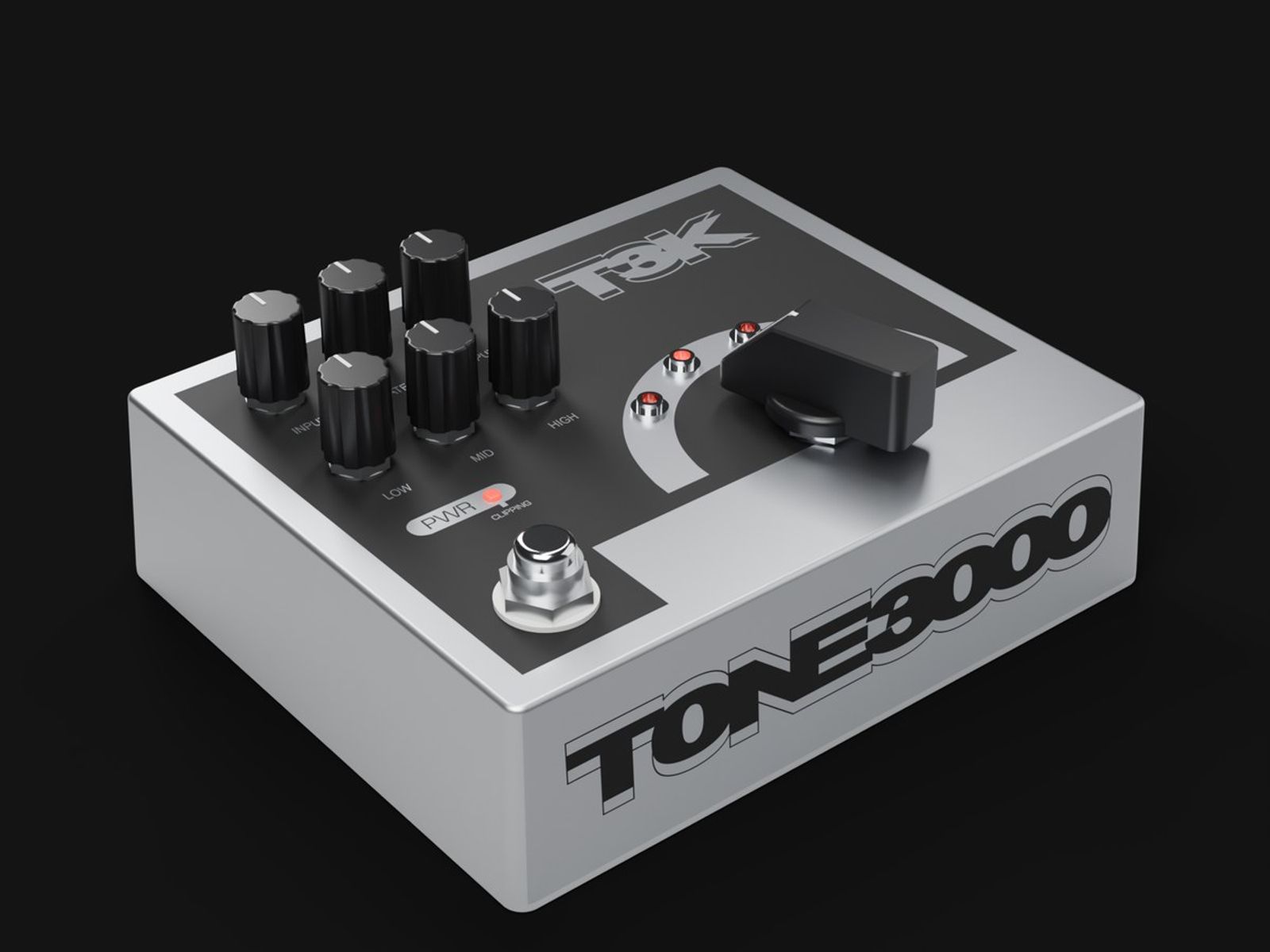
The pedal is limited on purpose. We wanted it to feel analog, so there's no screen and there are no menus. And there's plenty of room to add your own mods.
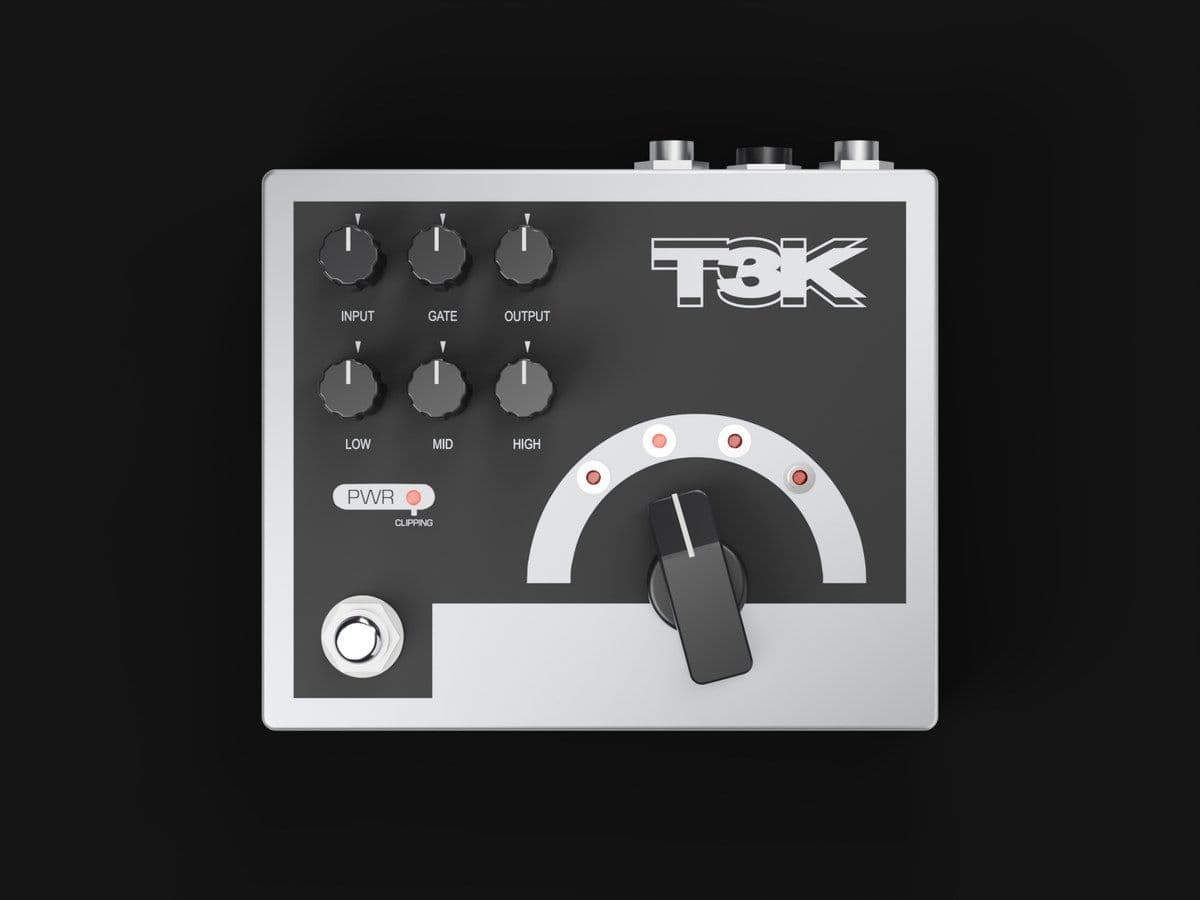
- Four presets: Turn the big rotary switch to change presets. An LED shows which one is active.
- Stackable captures: Each preset runs a NAM A2 capture on its own, into a cabinet IR, or into a second capture, like a Tube Screamer into a JCM800.
- Familiar controls: Input, output, a noise gate, and a three-band EQ follow the same signal chain as the TONE3000 Plugin.
- Clip indicator: The power LED flashes when the input or output clips.
- USB-C: Load presets and update the firmware from your browser.
- Oversized enclosure: The big box is a nod to the original MXR pedals, and it leaves space inside for your own additions.
Run it into an amp, a power amp and cab, or straight into an audio interface or PA.
Load Tones From Your Browser
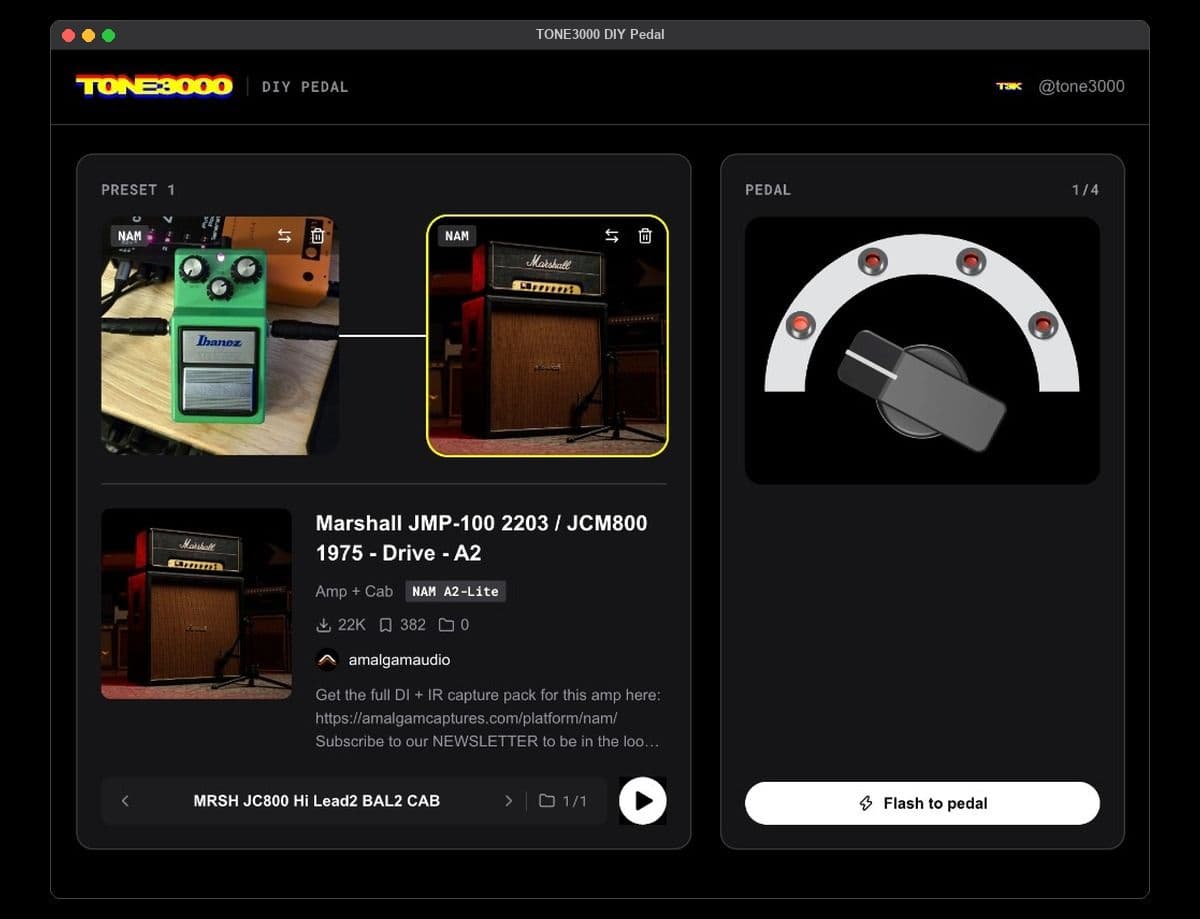
The pedal has an open-source companion app that runs in Chrome or Edge. There's nothing to install, and no files to download, unzip, or convert.
Here's how it works:
- Connect the Daisy Seed3 to your computer over USB-C.
- Open the companion app and sign in to your TONE3000 account.
- Pick a preset, then browse the TONE3000 library and preview tones right in your browser.
- Click Flash to pedal. The app writes all four presets to the pedal.
- Unplug, power up, and play.
The same app installs the firmware on a new Daisy Seed3 and updates it later, so you never need to compile code or install developer tools.
Powered by NAM A2
The pedal runs NAM A2, the next generation of Neural Amp Modeler, developed by TONE3000 in partnership with NAM creator Steve Atkinson. It uses A2-Lite, the version of A2 designed for pedals, amps, and other hardware. In our quantitative tests and a blind listening test with more than 1,000 participants, A2-Lite beat every commercial modeler we tested.
Getting it to run on a microcontroller wasn't easy. The first time we tried, A2-Lite couldn't even run in real time on the Daisy. After a round of optimizations, we made it eight times faster. Today a single capture uses about 40% of the Daisy Seed3's processor, and two captures in series use about 83%.
Read our complete guide to NAM A2 →
Powered by the TONE3000 API
The companion app is built entirely on the TONE3000 API, the same public API that brings the TONE3000 library to hardware from HeadRush, Blackstar, Darkglass, ZOOM, and Fractal Audio.
If you're building an amp, pedal, plugin, DAW, or other music product, you can integrate TONE3000 too. The app's source code is open, so you can see exactly how it's done.
Who Should Build It
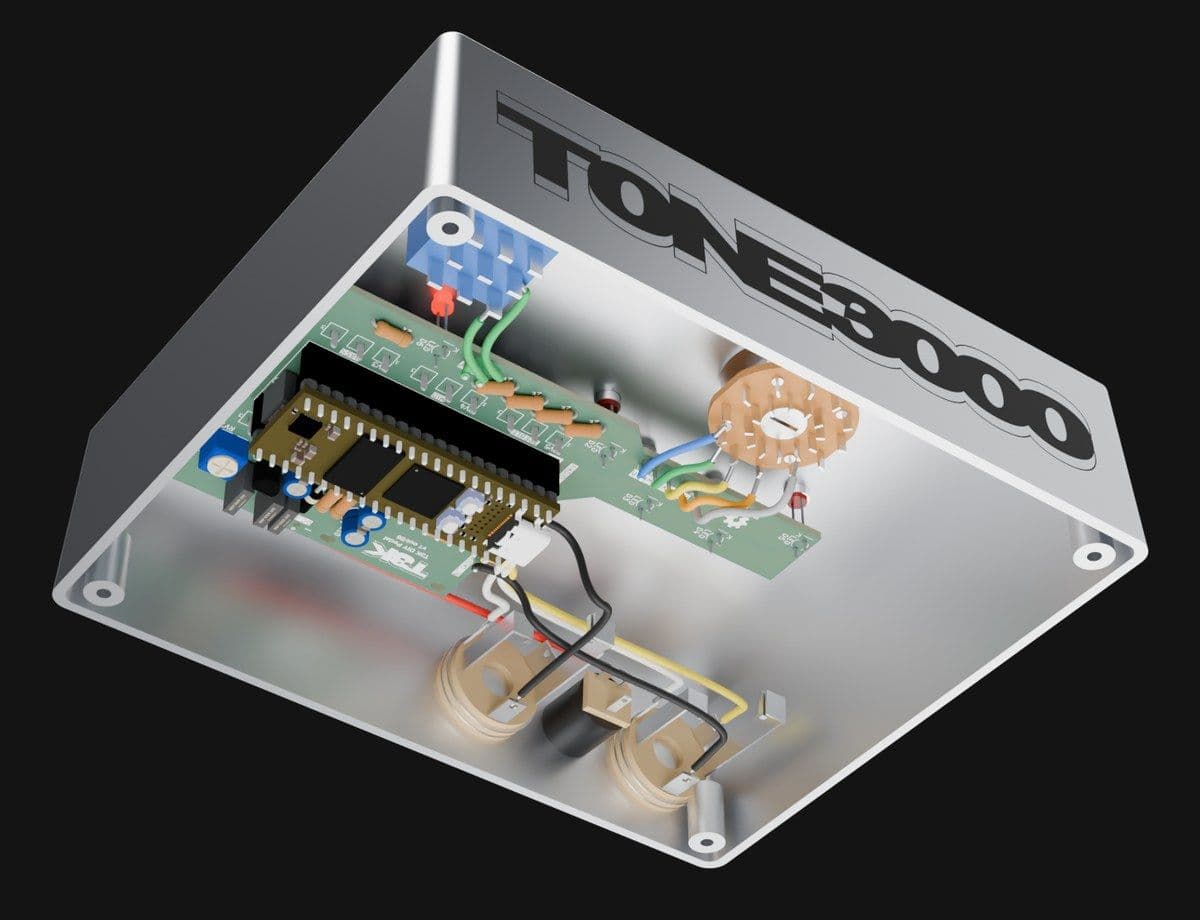
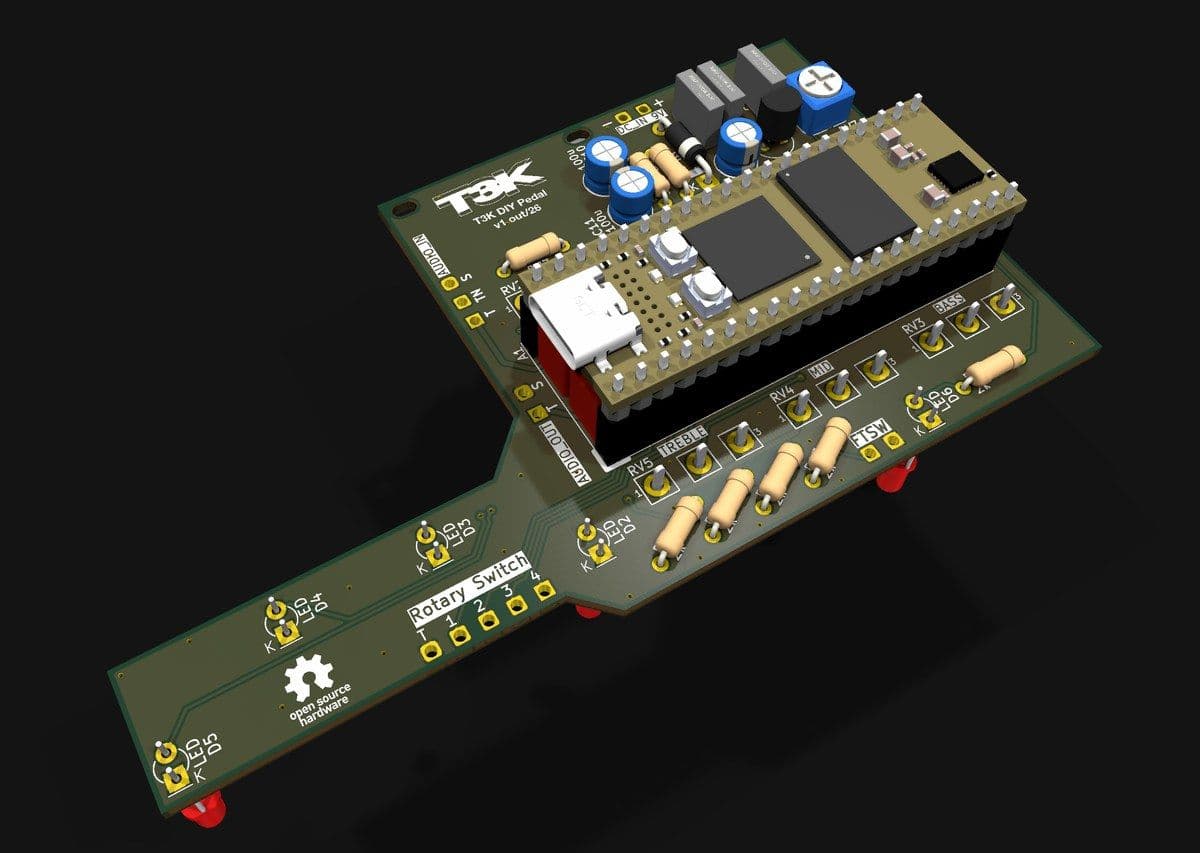
We'll be honest: this is a better second or third build than a first.
The build is about 150 solder joints, plus 14 wires to the jacks, footswitch, and rotary switch. It's all through-hole, with no tiny surface-mount parts, and the firmware loads from a web browser. You'll need a soldering iron, a multimeter, a USB-C data cable, and a standard 9V pedal power supply.
The build guide walks you through every step, from the first resistor to the final test.
If you've never built a pedal, start with a simple fuzz or boost kit to get your soldering down, then come back to this one. In the meantime, you can play the same tones in the free TONE3000 Plugin, no soldering required.
How to Get the Kit
You'll place two orders:
- Daisy Seed3: Available from Daisy Audio for $34.99. This is the brain of the pedal.
- Parts kit: Available from Tayda Electronics. It includes the circuit board, the drilled and printed enclosure, and every component.
Prefer to source your own parts? The build guide lists every component with a link.
The TONE3000 × Daisy DIY Pedal is an open-source community project, not a TONE3000 product. TONE3000 doesn't sell, assemble, or warranty these pedals, and you build it at your own risk.
Open Source, Top to Bottom
Everything about the pedal is open source. The firmware, the companion app, the schematic, the circuit board, the enclosure drill template, and the bill of materials are all MIT licensed in a single repository.
You can build it from the files, modify it, or use the circuit in a product of your own.
TONE3000 DIY Pedal on GitHub: github.com/tone-3000/t3k-diy-pedal
"Daisy was built so anyone could turn an idea into a real piece of audio hardware. TONE3000 has taken state-of-the-art neural modeling and open-sourced every piece of the pedal around it, which is exactly the kind of project we hoped Daisy would make possible. We can't wait to see what builders do with it."
– Andrew Ikenberry, Co-Founder of Daisy
What Will You Build?
A single capture leaves more than half of the processor free, and the enclosure has space to spare. Here are a few ideas to get you started:
- A delay or reverb after the amp
- Bluetooth, so the app can load presets wirelessly
- A stereo version
- A Eurorack module
- A build inside the back of a real cab, with a power amp
- A redesign in a smaller enclosure
If you build one, share a photo in the TONE3000 Discord. We'd love to see it.
Get Help From the Community
Because this is a community project, TONE3000 doesn't provide build support. Here's where to go if you get stuck:
- TONE3000 Discord: Post in the DIY pedal channel, and include photos of both sides of the board.
- Daisy forum: Daisy Seed3, bootloader, and USB questions.
- GitHub issues: Firmware, app, and hardware file bugs.
- Tayda Electronics: Kit, parts, and shipping questions.
Get Started
- Daisy Seed3: daisy.audio/TONE3000
- Parts kit: Tayda Electronics
- Build guide: tone3000.com/guides/diy-pedal
- Companion app: tone3000.com/diy-pedal/app
- GitHub: github.com/tone-3000/t3k-diy-pedal