TONE3000 Plugin Update #1
A faster plugin with pitch shift, native search, dual mono, and more.
Last month, we launched the free TONE3000 Plugin, and we’ve been blown away by the response. Here’s a look at the community’s reaction and everything we’ve updated since.
To get the update, download the latest version, run the installer, and open the TONE3000 Plugin. Your presets will be preserved.
One Month In
In just one month, the plugin has been downloaded 200K+ times. It's been covered by MusicRadar, Guitar.com, Bedroom Producers Blog, Sonicstate, Audio Plugin Guy, GuitarBomb, and more.
Musicians around the world have made videos in English, Portuguese, Japanese, Chinese, French, and a zillion other languages. Here are a few of our favorites:
Thank you to everyone who has tried the plugin, written about it, made a video, or shared it with a friend :)
At launch, we said the TONE3000 Plugin was the worst it would ever be. Since then, you’ve filed more than a hundred bug reports and feature requests, tested early builds across all kinds of setups, and contributed code from around the world.
Here’s what your feedback helped us build:
- Native interface: A faster, lighter plugin that runs smoothly on older computers.
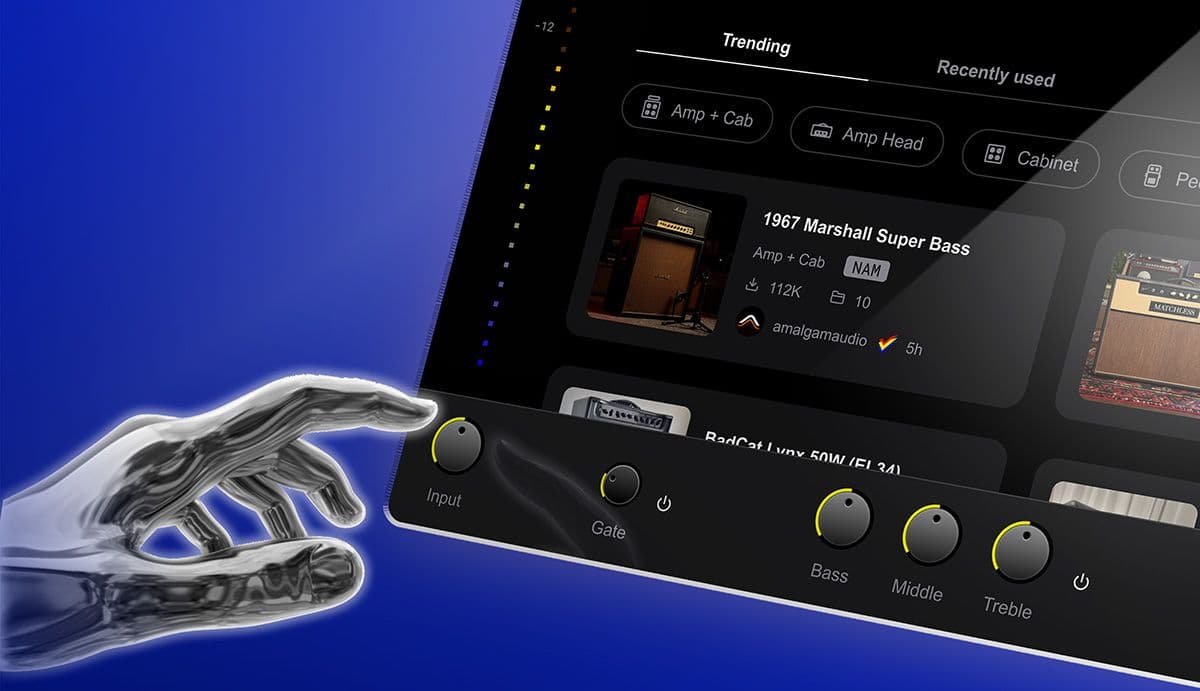
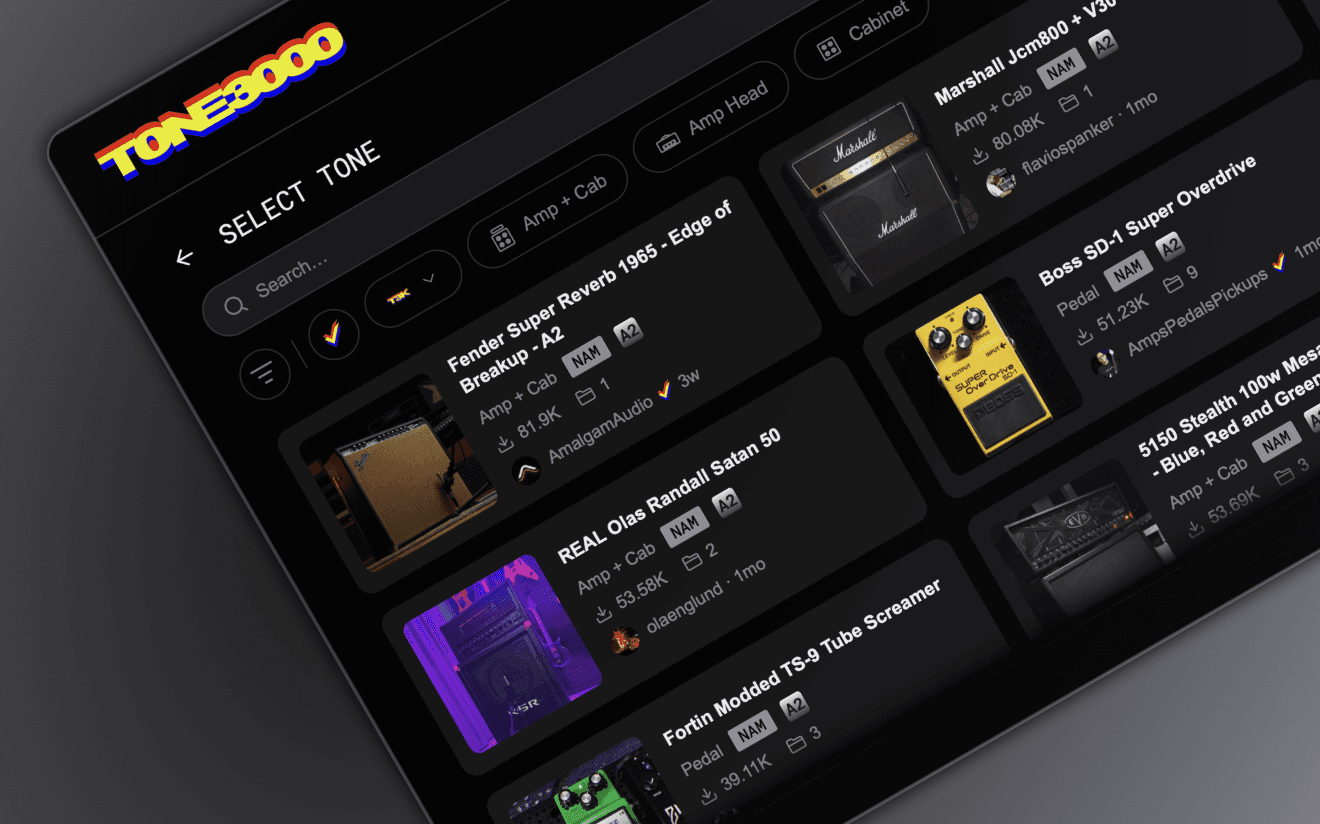
- Native search: Search and filter the entire library without opening an embedded website.
- Pitch shift: Transpose up or down without retuning, or use an expression pedal for whammy effects.
- Dual mono: Run stereo sources through one mono chain while keeping left and right separate.
- Improved noise gate: Get tighter control over high-gain tones with new release, hold, and range controls.
- Local files: Load your own captures and IRs from any file or folder without dragging and dropping.
- DAW presets: Switch presets right from your DAW, plus new factory presets.
A Faster, Lighter Plugin
We rebuilt the interface from the ground up using native code.
The original interface used an embedded web browser. That let us iterate quickly based on your feedback, but it also caused many of the problems you reported, including blank white screens on Windows 10, freezes on some Linux systems, and heavy CPU use on older computers.
The new interface removes the browser entirely, bringing:
- Lower CPU use: One Linux tester reported total CPU use drop by 75% with the same signal chain.
- Fewer compatibility issues: No browser engine or related components need to be installed.
- Better performance on older computers: Testers report that laptops that struggled with the original version now run the plugin comfortably.
“The EdgeWebView2 version was practically unplayable on my laptop, whereas yours runs almost perfectly now.”
– @Damians1989
“So it became very much usable standalone, no need for reaper anymore!”
– @hedgieinsocks
“good riddance webkit! Feeling better and snappier”
– @mukize
“the overall impression is that CPU usage is lower. THANK YOU.”
– @Damians1989
Native Search
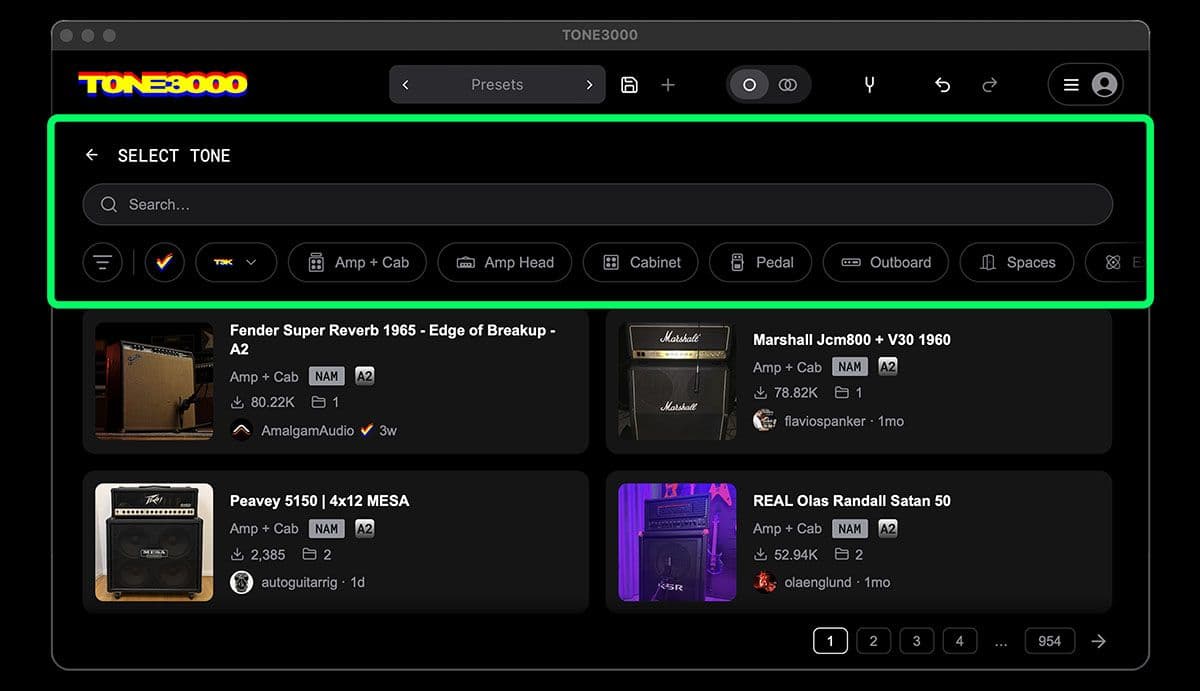
Now you can search and filter the entire TONE3000 library without opening an embedded website. Click + on any slot to search, with filters for:
- Verified creators: official tones from brands, artists, and top creators
- Your account: your favorites, recently used tones, and tones you’ve created
- Gear: amp + cab, amp heads, cabinets, pedals, outboard gear, and more
- Format, tags, make, and creator
“Yooooo that browser is nuts!!!!!!!!!!”
– @GeistRodriguez
“Amazing, like you read my mind! Works very well.”
– @Fittkenny
Pitch Shift (Transpose)
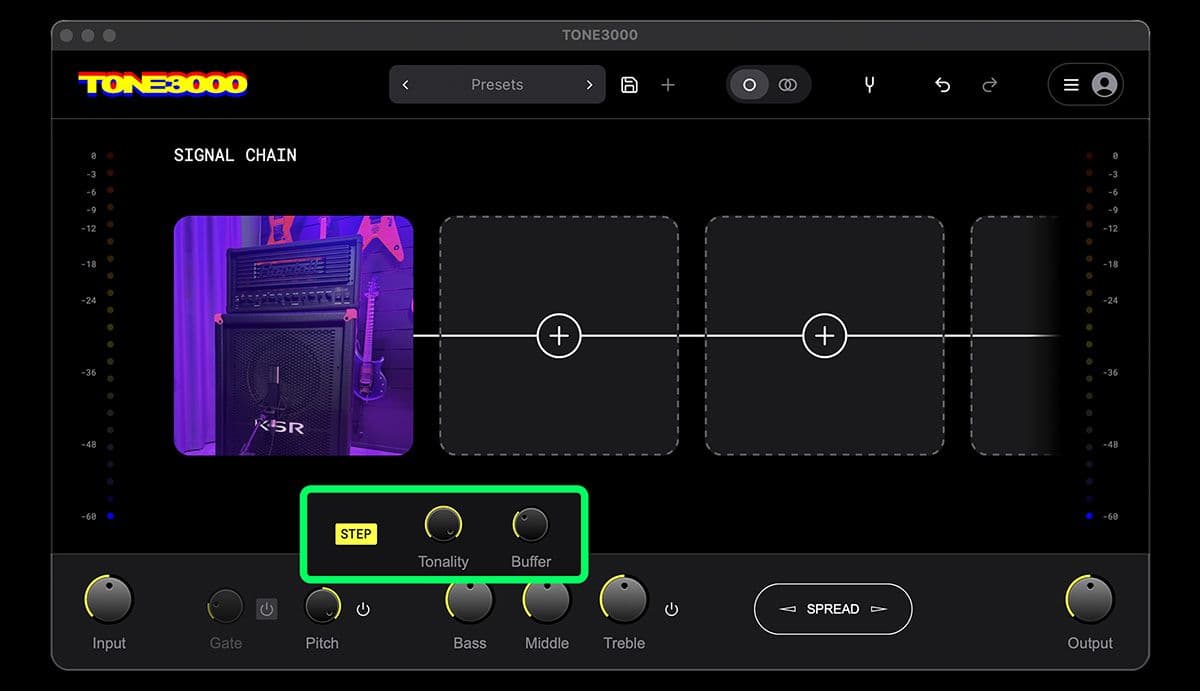
Transpose your instrument up or down without retuning, glide smoothly between pitches, or use a MIDI expression pedal for whammy-style effects. Woody (CTO at TONE3000) poured his heart into this feature. We think this may be the best open-source pitch shifter ever, with incredibly low latency and accurate tracking, even on bass and dissonant chords.
“Latency is fucking amazing though, wow even better than Neural DSP”
– @GeistRodriguez
“Up 24 and down 24 is smooth as butter when automating in DAW.”
– @GeistRodriguez
“Just tested and it sounds amazing with very low latency. Great work!”
– @VivekRadhakrishna77
Dual Mono
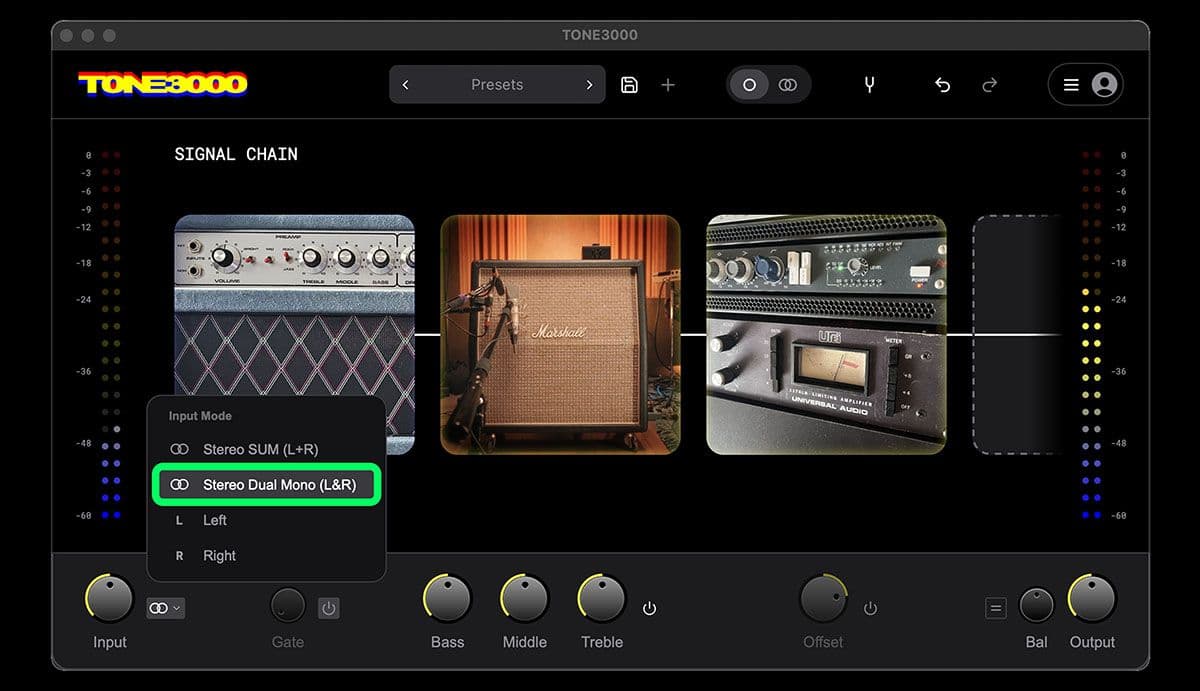
Run double-tracked guitars or stereo instruments through one shared amp and signal chain, keeping the left and right channels separate. Dual Mono applies the same settings independently to both sides, so you can dial in your sound without managing two chains.
To enable it, select Stereo Dual Mono (L&R) from the input menu while using a mono chain.
Improved Noise Gate
Right-click the Gate knob to adjust release, hold, and range alongside the threshold, including faster, tighter gating for high-gain tones.
Local File Support
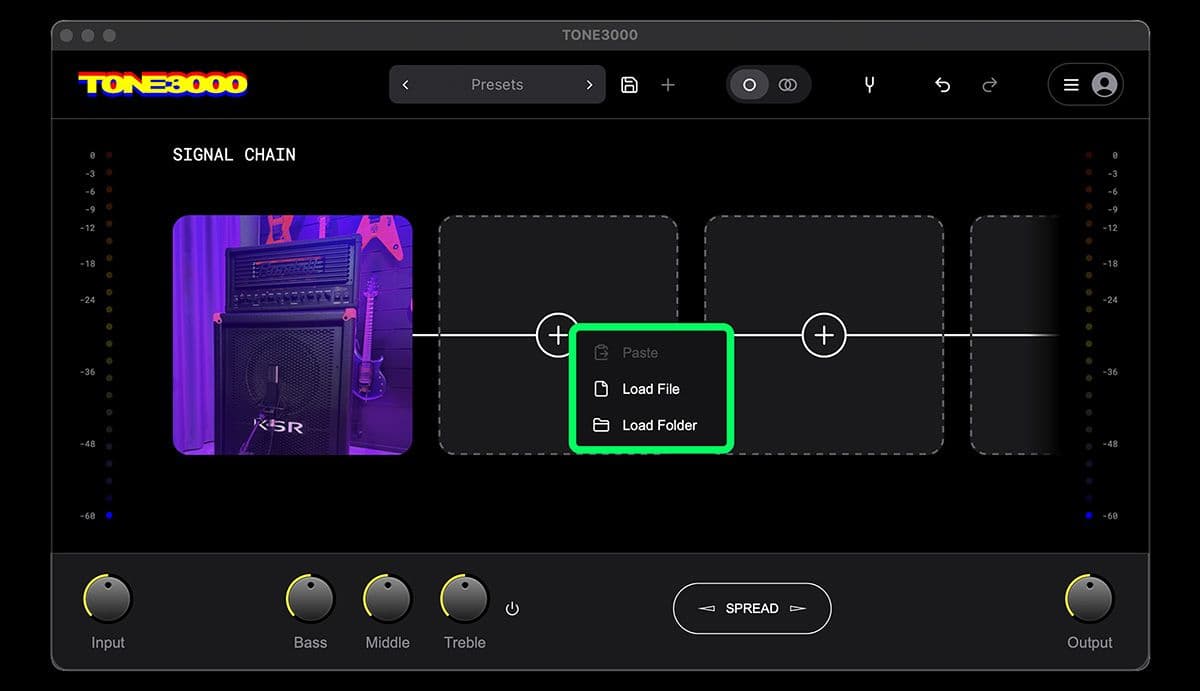
In addition to dragging and dropping local files, you can now right-click any tile, or touch and hold on a touchscreen, and choose Load File or Load Folder.
Local models also display the appropriate gear icons, such as amp, amp + cab, or pedal, making your chain easier to read.
“the right click mouse and access folder option is excellent ty.”
– @jeromedon1969
Improved Presets
- New factory presets: Try Ampeg Bass Drive or a Mesa with pitch shift.
- DAW preset switching: Your presets now appear as programs in your DAW.
“The DAW even reads the presets when connected to a MIDI track... bravo! Not many have managed to pull that off; in fact, aside from Guitar Rig, I haven't seen this feature in any other guitar VST plugin.”
– @sergeantt67
Other Improvements
- Saved settings: Calibration, oversampling, and multi-core settings are now remembered on your computer, so they load automatically every time.
- Better tuner tracking: The tuner now tracks 5-string bass down to low B and stays accurate at high sample rates, including 96 kHz and 192 kHz.
- Better IR handling: The plugin uses each tone’s gear type to distinguish cabinet IRs from reverbs and other spaces more reliably.
- Linux on ARM: The plugin now runs on ARM64 Linux computers.
- Better Linux support: LV2 loads in Ardour and Mixbus, while PipeWire and JACK keep your audio interface connected.
- Stability and compatibility fixes: We addressed a Cubase crash on Windows, Windows touch input issues, an unnecessary Rosetta prompt on Apple Silicon, oversized model caches, and dozens more.
“Been testing the Linux version (CachyOS, reaper 7.79) on this build and it has been working flawlessly, no more crashes.”
– @RuiCoito
“There are no more artifacts, and the sound seems cleaner, without any unwanted background noise. Thanks for your hard work!”
– @nekomako666-ux
The TONE3000 Plugin Guide covers everything in detail.
Thank You to the Open Source Community
The TONE3000 Plugin is open source, and lots of code for this update was written by developers in our community. Thank you to everyone who contributed:
- @Shayshez corrected post-block EQ and output gain routing so mix and output behave as expected. He also made the signal chain maintain its scroll position.
- @valentingregoire brought the plugin to ARM64 Linux computers.
- @honkkis fixed a bug that could load the wrong oversampling setting when reopening a session.
- @elarmuzik1993 fixed the testing tools on Windows so contributors can check their changes before submitting them.
- @VivekRadhakrishna77 requested transpose and wrote the original code behind the new Pitch Shift feature.
Thank you also to everyone who tested early builds and filed detailed bug reports, including @Damians1989, @hedgieinsocks, and @GeistRodriguez. You found problems we couldn’t have found on our own :)
If you have issues, feedback or feature requests, please report them on GitHub.
Share the Plugin
If you’re enjoying the plugin, help others discover the update by sharing tone3000.com/plugin in a post or video and mentioning what’s new.
More musicians means more feedback, more developers, more tones, and a better plugin for everyone :)
Get the Update
- Download: tone3000.com/plugin
- Guide: tone3000.com/guides/tone3000-plugin
- Github: github.com/tone-3000/tone3000-plugin
- Changelog: v0.0.11 release notes