TONE3000

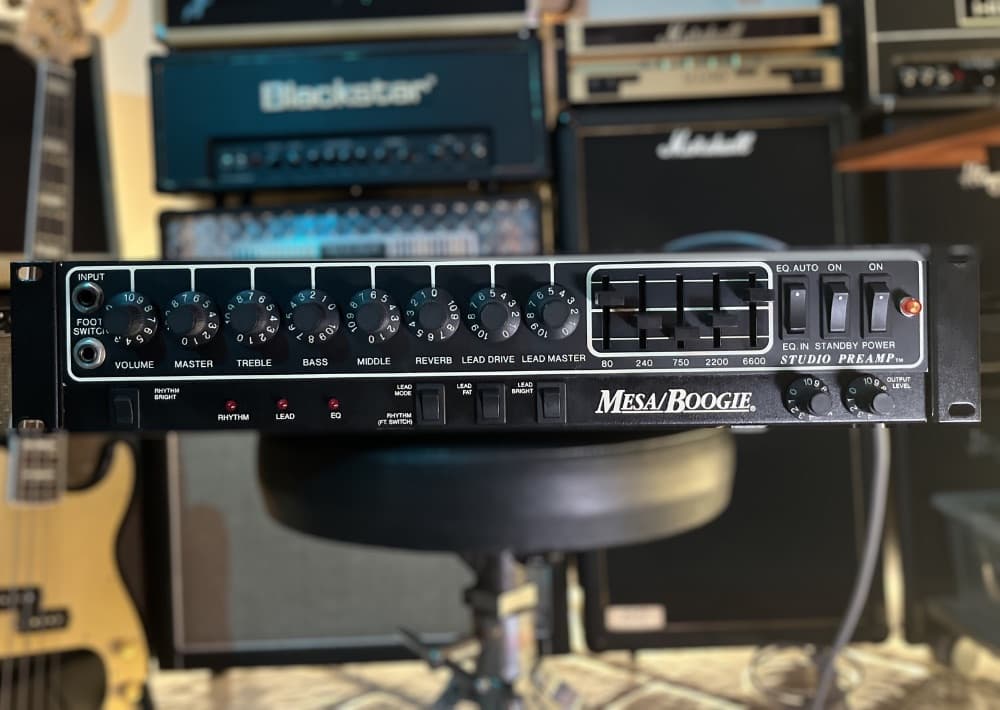
Mesa/Boogie Studio Preamp (Clean/Crunch)

Amp Head Capture

NAM

tylawav's avatar

tylawav

18 hours ago

Description

MESA/BOOGIE STUDIO PREAMP (CLEAN/CRUNCH) RHYTHM CHANNEL, CALIBRATED A2 PREAMP CAPTURE PACK This pack captures the Rhythm channel of a vintage Mesa/Boogie Studio Preamp, an all-valve rack preamp with Bright switching and Mesa’s five-band graphic EQ. This is a preamp-only capture pack. It contains no power amplifier, speaker cabinet, microphone or room sound. Main Output A was used rather than the speaker-simulated Recording Output, so these models are intended to be paired with a separate power-amplifier model and cabinet IR. WHY HAVE I ONLY DONE THE RHYTHM CHANNEL YOU ASK? 

I accidentally knocked the gain input knob on the interface when I was recording the distortion tones. 
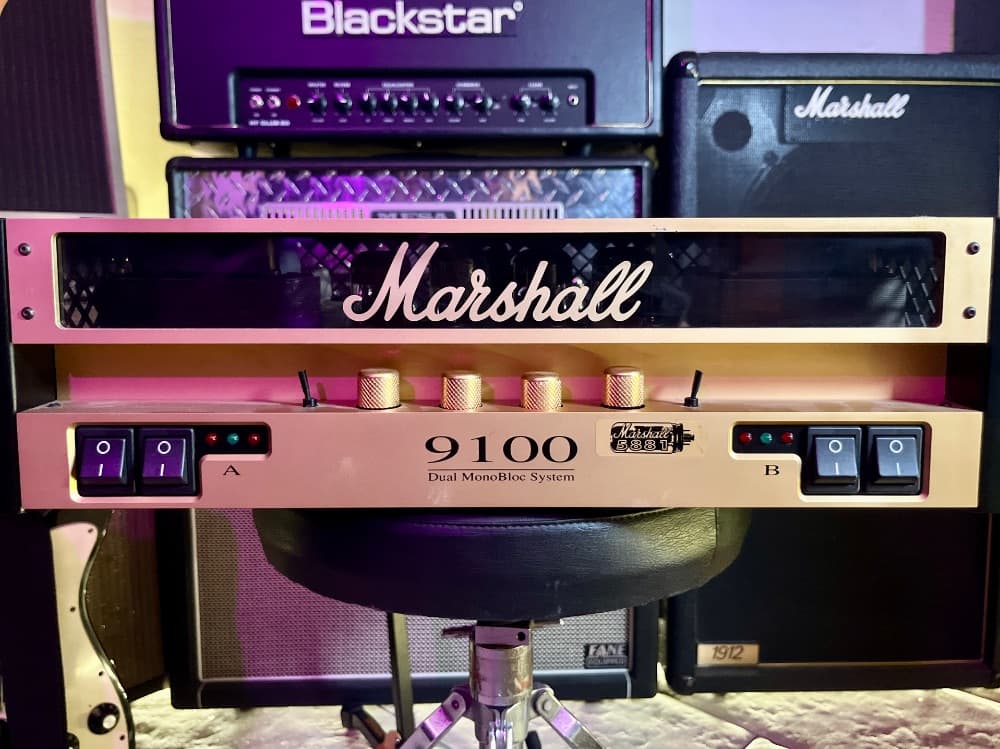
I lost consistency with the calibration (which I take pretty seriously) so I just decided to delete them and release them as a separate pack. HOW TO USE IT Guitar → Mesa Studio Preamp → gain trim → power-amplifier model → cabinet IR Do not place it before or after a complete amp-head capture unless that model allows its own preamp section to be disabled. Otherwise, you will be stacking two guitar preamps together. GATEWAY/NAM PLAYER SETUP: 1 - Load the Mesa model into Gateway. 2 - Click the gear icon and enable Input Calibration. Set the Mesa model’s output to Calibrated. 3 - Select A2-Full by moving the quality slider beside the model loader to 1. This turns Lite mode off. 4 - Add a clean gain plugin after the Mesa, starting at approximately −12 dB (higher if you want more thicccc) 5 - Load a power-amp-only model into a second Gateway instance. (such as the marshal 9100 I have captured) Set the power amp’s input to Calibrated and its output to Normalised. Select A2-Full and make sure Lite mode is off. 6 - Add a cabinet IR after the power amp. Disable any additional power-amplifier simulation inside the IR loader. The Studio Preamp has a powerful line-level output. Move the interstage gain towards −6 or 0 dB for more power-stage compression and saturation. Reduce it further if the result becomes too thick or distorted. Without a power-amplifier model and cabinet IR, these captures will sound harsh and unfinished. INCLUDED TONES: Eight Rhythm settings were captured, moving from clean sounds into progressively more driven territory: Glass Clean Sparkling Clean Full Clean Warm Clean Pushed Clean Edge of Breakup Heavy Edge Rhythm Crunch Each setting is supplied twice: EQ=OUT: Mesa five-band graphic EQ bypassed EQ=IN: the same tone with the hardware graphic EQ engaged This gives 16 models in total. Bright switching was selected individually for each tone. COMMON SETTINGS ACROSS THE PACK:
 Master: 6.5 Output A: 5 Reverb: 0 Main Output A NAMING SYSTEM
 Example: 1_MesaStudioPre_GLASS_CLEAN_V2.5_T8.5_B3_M3.5_BRT=ON_EQ=OUT.nam V2.5: Volume 2.5 T8.5: Treble 8.5 B3: Bass 3 M3.5: Middle 3.5 BRT=ON: Bright switch engaged EQ=OUT: graphic EQ bypassed EQ=IN: graphic EQ engaged The fixed Master, Output and Reverb settings are not repeated in every filename. CAPTURE DETAILS
 Captured using a RME FireFace III. The interface output fed the Torpedo Reload’s REPLAY circuit, which provided the correct connection for the Mesa’s instrument input. Main Output A was returned directly to a line input. The Reload was used only as a reamping interface. No loadbox was required because this is a standalone preamp. Send calibration: +14.7 dBu Return calibration: +29.8 dBu Official A2 capture signal Reverb disabled No speaker simulation No software EQ, compression, limiting, noise reduction or normalisation Any EQ heard in the EQ-labelled models comes from the Mesa’s physical analogue graphic equaliser. These captures represent this particular vintage unit, including its valves, component tolerances and present condition.

Makes and Models

MesaBoogie Studio Preamp

Preview

Model
IR
Input

Powered by

Models

Each model captures the gear at specific knob settings.

A2-FullESR: 0.0008

A2-LiteESR: 0.0033

400 Epochs

Sweep

Captured on

Tone3000 - NAM Captures and IRs

A2-FullESR: 0.0012

A2-LiteESR: 0.0034

400 Epochs

Sweep

Captured on

Tone3000 - NAM Captures and IRs

A2-FullESR: 0.0006

A2-LiteESR: 0.0023

400 Epochs

Sweep

Captured on

Tone3000 - NAM Captures and IRs

A2-FullESR: 0.0009

A2-LiteESR: 0.0032

400 Epochs

Sweep

Captured on

Tone3000 - NAM Captures and IRs

A2-FullESR: 0.0005

A2-LiteESR: 0.0019

400 Epochs

Sweep

Captured on

Tone3000 - NAM Captures and IRs

A2-FullESR: 0.0006

A2-LiteESR: 0.0021

400 Epochs

Sweep

Captured on

Tone3000 - NAM Captures and IRs

A2-FullESR: 0.0005

A2-LiteESR: 0.0017

400 Epochs

Sweep

Captured on

Tone3000 - NAM Captures and IRs

A2-FullESR: 0.0006

A2-LiteESR: 0.0017

400 Epochs

Sweep

Captured on

Tone3000 - NAM Captures and IRs

A2-FullESR: 0.0005

A2-LiteESR: 0.0015

400 Epochs

Sweep

Captured on

Tone3000 - NAM Captures and IRs

A2-FullESR: 0.0006

A2-LiteESR: 0.002

400 Epochs

Sweep

Captured on

Tone3000 - NAM Captures and IRs

2 Comments

Share your thoughts...
@username to mention • Ctrl+Enter to submit
Immaculate job! Thanks for the calibration data!
1

License: T3K

Users may download and use the data file in software and publish the resulting outputs without royalties or restrictions. However, they may not upload, republish, or distribute the data file without the author's permission.

Use Your Tones

Load NAM files and IR's from TONE3000 onto a free plugin or compatible pedal.

Plugins

TONE3000 Digital Models

NEW TO TONE3000?

Discover hyper-realistic digital models of iconic gear, including the Fender Twin Reverb, Vox AC30, Marshall JCM 800, and thousands more. Getting started is easy—and free!